

Quick shortcurts
Creating a Google Business Profile in 2024 is essential for any business looking to enhance its online presence and attract more local customers. This step-by-step guide will walk you through the process, ensuring you set up your profile correctly to maximize visibility and engagement. From verifying your business to optimizing your profile, we've got you covered.
Key Takeaways
- Google Business Profile is a powerful tool for businesses to increase their online visibility and engage with customers.
- Signing up for a Google Business Profile is a simple process that requires basic business information.
- Verifying your business information is crucial to ensure the accuracy and legitimacy of your Google Business Profile.
- Optimizing your Google Business Profile with relevant keywords and detailed information can improve your search ranking.
- Adding high-quality photos and videos to your profile can make it more appealing to potential customers and showcase your products or services.
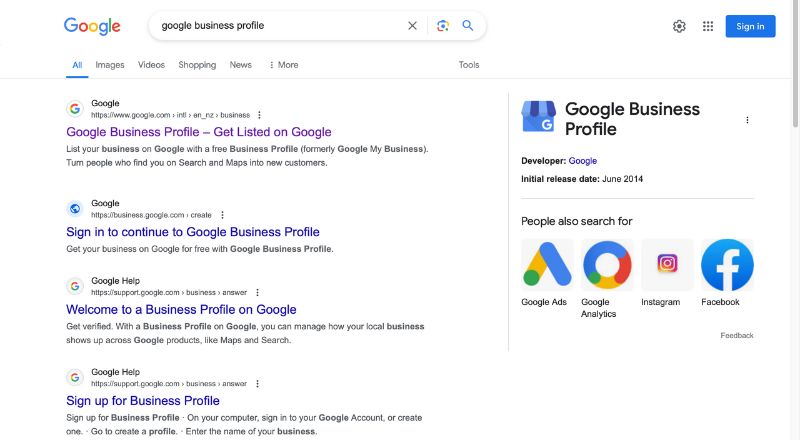
Google Business Profile, formerly Google My Business, is a powerful tool that allows businesses to manage their online presence and connect with customers on Google's search engine and maps. It is a free and essential platform for any business looking to improve its local search visibility, build trust with potential customers, and engage with its audience. By creating and optimizing a Google Business Profile, businesses can showcase their products, services, and essential information, making it easier for customers to find and interact with them.
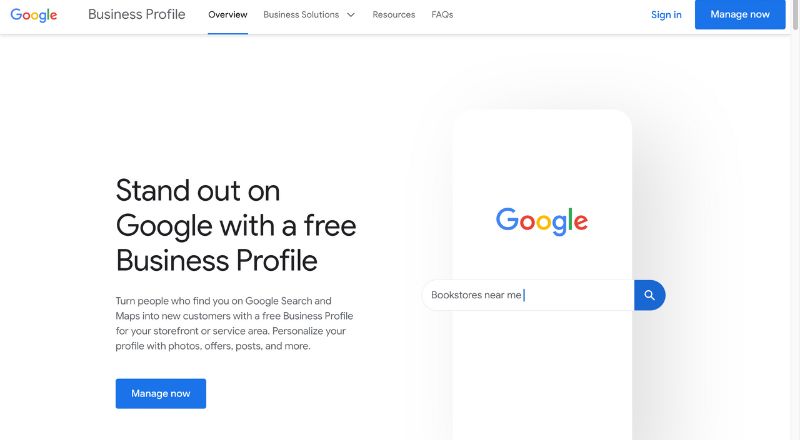
Why You Need a Google Business Profile
Having a Google Business Profile is a game-changer for any local business. It not only helps improve your local SEO, but it also makes it easier for customers to find, learn about, and engage with your business. One of the primary benefits of having a well-optimized Google Business Profile is improved local search visibility. When customers search for businesses in their area, Google's algorithm prioritizes verified and complete business profiles, ensuring that your company appears prominently in the search results. This increased visibility can lead to more website visits, phone calls, and in-person visits, ultimately driving more sales and revenue for your business.
Importance of a Google Business Profile for Local SEO
Google Business Profile is essential for boosting your local SEO. When someone searches for a service or product you offer, having a well-optimized profile can make your business appear in the coveted local pack and Google Maps results. This increased visibility can drive more traffic to your website and physical location.
Benefits for Customer Engagement and Trust
A Google Business Profile allows customers to leave Google reviews, ask questions, and see updates about your business. Engaging with customers through your profile can build trust and foster a sense of community. Plus, potential customers are more likely to choose a business with positive reviews and active engagement.
Examples of Businesses Successfully Using Google Business Profile
Consider a local cafe that frequently updates its Google Business Profile with photos of new menu items, special promotions, and customer reviews. This active engagement not only keeps current customers informed but also attracts new ones. Similarly, a plumbing service with a well-maintained profile, complete with service details and customer reviews, can stand out from the competition.
Setting Up Your Google Account
Related journal
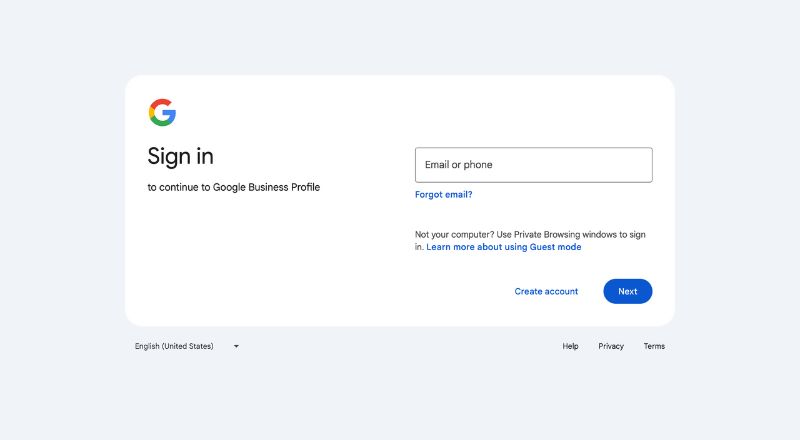
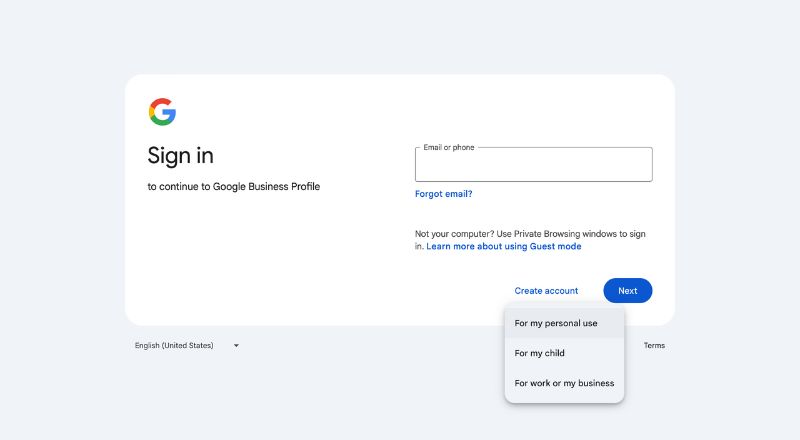
Before you can create a Google Business Profile, you need a Google account. If you already have one, great! Simply sign in with your Gmail account after you click on Manage now button on Google Business Profile homepage If not, click on Create account.
Creating a Google Account
- Go to the Google Account creation page.
- Fill in the required information, including your name, desired email address, and password.
- Verify your phone number and complete the account setup process.
Logging into Google My Business
Once you have a Google account, navigate to Google My Business. Sign in using your Google account credentials. This will take you to the Google My Business dashboard, where you can start creating your business profile.
Verifying Your Account Information
Ensure that all the information associated with your Google account is accurate and up-to-date. This will help streamline the verification process later on.
Claiming or Adding Your Business
Now that you're logged into Google My Business, it's time to find your business.
Searching for Your Business on Google My Business
In the search bar, type the name of your business. If your business is already listed, it should appear in the search results.
Claiming an Existing Business Profile
If you see your business in the search results, click on it and follow the prompts to claim it. You might need to verify that you are the owner of the business by providing additional information.
Adding a New Business if it Doesn’t Exist in the Database
If your business isn't listed, don't worry! You can add it manually. Click on the option to add your business, and enter the required information.
Entering Your Business Information
Accurate and comprehensive business information is key to a successful profile. Here’s how to ensure you get it right.
Related journal
Providing Accurate Business Name, Address, and Phone Number (NAP)
Consistency is crucial. Make sure the business name, address, and phone number (NAP) you provide match exactly with the details on your website and other online listings.
Selecting the Correct Business Category
Choose the category that best represents your business. This helps Google show your business to the right audience.
Adding Your Website URL and Other Contact Details
Include your website URL and any other relevant contact details, such as an email address or additional phone numbers.
Optimizing Your Business Profile
With your basic information in place, it’s time to make your profile shine.
Writing a Compelling Business Description
Your business description should be clear, concise, and engaging. Highlight what makes your business unique and why customers should choose you.
Uploading High-Quality Photos and Videos
Visual content can significantly impact a customer's decision. Upload high-quality photos and videos of your products, services, location, and anything else that showcases your business.
Adding Business Hours, Special Hours, and Services
Ensure your business hours are accurate and up-to-date. If you offer special hours during holidays or events, include those as well. Additionally, list all the services you provide to give customers a complete picture of what you offer. When customers search for your business, they expect to find the most current and relevant details, such as your operating hours, phone number, and website.
Verifying Your Business
Verification is a crucial step to ensure your business appears on Google. After creating your Google Business Profile, the next step is to verify your business information. This process ensures that Google can confirm your ownership and legitimacy, which is essential for building trust with customers and improving your search visibility.
Understanding the Verification Process
Verification helps Google confirm that your business information is accurate and that you are the rightful owner.
Related journal
Choosing the Best Verification Method (Postcard, Phone, Email, etc.)
Google offers several verification methods, including postcard, phone, and email. Choose the one that is most convenient for you. The fastest way to get verified is through a mobile phone where Google will send you a verification code. The most common method is postcard verification, where Google will send a postcard to your business address with a verification code that you'll need to enter on the Google Business Profile dashboard.
Completing the Verification and Resolving Any Issues
Completing the verification process is crucial, as it unlocks additional features and functionality within your Google Business Profile. A verified profile is more likely to appear in local search results, and customers will have more confidence in your business when they see that it has been verified by Google. Follow the instructions provided by Google to complete the verification process. If you encounter any issues, refer to Google’s support resources for assistance.
Managing and Updating Your Profile
A well-maintained Google Business Profile requires regular updates and engagement. Once your Google Business Profile is created and verified, the next step is to optimize it to ensure maximum visibility and engagement with potential customers. One of the most important aspects of optimization is the use of relevant keywords. By incorporating keywords that accurately describe your business, products, or services, you can improve your chances of appearing in local search results when customers are looking for what you offer.
In addition to keywords, a compelling business description is also crucial. This section allows you to provide a detailed overview of your company, its history, and the unique value it offers to customers. Craft an informative, engaging description that highlights the key features and benefits of your business.
Another important aspect of optimization is accurate category selection. Google's algorithm uses the category you choose to better understand the nature of your business and match it with relevant searches. Be sure to select the most appropriate category that best represents your company, as this can have a significant impact on your visibility in local search results.
Regularly Updating Your Business Information
Keep your business information current. Update your hours, contact details, and any other relevant information as needed.
Engaging with Customer Reviews
Respond to customer reviews promptly and professionally. Thank customers for positive reviews and address any issues mentioned in negative reviews.
Utilizing Google My Business Features like Posts, Q&A, and Insights
Take advantage of all the features Google My Business offers. Use posts to share updates, promotions, and events. Respond to questions in the Q&A section to provide helpful information. Check your insights regularly to understand how customers are interacting with your profile and where improvements can be made.
Adding Photos and Videos to Your Profile
Visuals play a crucial role in enhancing your Google Business Profile and attracting potential customers. High-quality photos and videos can showcase your products, services, or business environment, giving customers a better understanding of what your company has to offer.
Conclusion
Creating and maintaining a Google Business Profile is an essential step for any business looking to enhance its online presence and attract more local customers. By following this step-by-step guide, you can ensure that your profile is optimized, accurate, and engaging. Regularly updating your information and actively engaging with customers will help you build trust, improve your local SEO, and ultimately drive growth for your business. So, get started today and watch your business thrive with a well-crafted Google Business Profile!
